5 Everyday Admin Tasks Small Teams Can Automate Without Expensive New Software
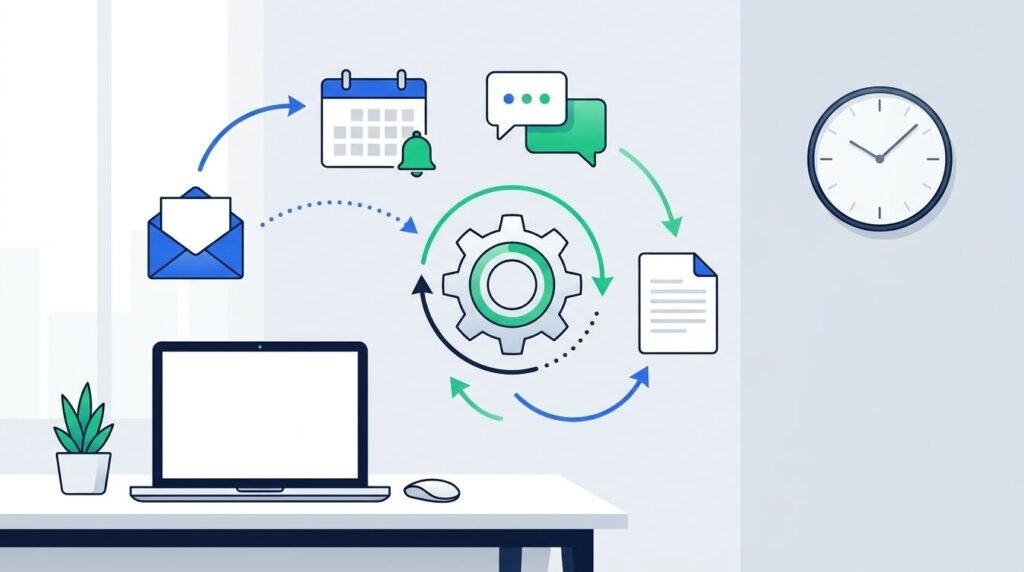
Quick Summary: Most small business owners spend 10 to 15 hours each week on repetitive administrative work like chasing invoices, coordinating appointments, and retyping customer information. You do not need costly enterprise software to fix this. Here are five practical administrative tasks you can automate today using affordable, everyday tools.
The Hidden Cost of Repetitive Admin Tasks
As a small business owner, your highest-value hours are spent doing what you do best: consulting with clients, completing billable work, and leading your team. Yet many business owners find themselves stuck at their desks late into the evening, copying customer details between apps, typing out calendar reminder emails, and following up on unpaid invoices.
This administrative friction not only burns you out; it also slows down your response time to potential clients. Automating even a handful of routine tasks can free up 5 to 10 hours every week for your team while delivering a smoother experience to your customers.
1. Instant Lead Confirmation and Staff Notification
The problem: A potential client fills out the quote form on your website at 7:30 PM. The notification sits in a general inbox until the next morning. By the time someone replies at 10:00 AM, the prospect has already contacted two competitors.
The simple automation:
When a web form is submitted, the system immediately sends a warm text message and email to the customer confirming receipt and setting clear expectations.
Simultaneously, the lead details are instantly dispatched to your phone or team Slack channel so whoever is on duty can call right away if appropriate.
2. Appointment Booking and Automated Reminders
The problem: You and a customer exchange five separate emails trying to agree on an available meeting time: 'Does Tuesday at 2 work?' 'No, how about Thursday morning?' 'Thursday morning is booked, can you do Friday?'
The simple automation:
Send a direct booking link connected to your calendar. The customer sees only your real-time open slots and selects the time that suits them best.
The software automatically places the appointment on both calendars with complete video link or address details.
Automated reminder emails and text messages go out 24 hours and two hours prior to the appointment, virtually eliminating no-shows.
3. Gentle Quote and Proposal Follow-Ups
The problem: You invest an hour preparing a thorough quote for a client, email it over, and get pulled into your daily operations. A week passes, and you realize you never checked in to see if they had questions or wanted to proceed.
The simple automation:
When a quote is emailed, an automated follow-up sequence is scheduled automatically in your billing tool or CRM.
If the quote remains unsigned after three days, a friendly automated message is sent: 'Hi Sarah, just checking in to see if you had any questions regarding the estimate we sent over on Monday. We are happy to clarify any details.'
If the client replies or approves the quote, the reminder sequence stops automatically.
4. Review Requests After Completed Work
The problem: You complete fantastic work for a delighted customer, they thank you verbally, and you resolve to ask them for a Google review later. In the rush of starting the next job, the review request is forgotten.
The simple automation:
When an invoice is marked as paid in your accounting or field service software, an automated review invitation triggers.
The customer receives a friendly text or email thanking them for their business and providing a direct link to your Google Business Profile review dialog.
Clients who might hesitate over a complicated process can leave a 5-star rating in less than 30 seconds on their phone.
5. Syncing Website Contacts Directly to Your CRM or Accounting System
The problem: New customer inquiries arrive via your website, and someone on your team has to manually retype names, phone numbers, and job descriptions into QuickBooks, Jobber, Mailchimp, or an Excel spreadsheet.
The simple automation:
Connect your website contact forms directly to your customer relationship management (CRM) software or billing tool.
Every new submission automatically creates a customer record with the correct tags and notes attached.
Zero duplicate data entry, zero typos, and zero lost customer records.
How to Get Started Without Buying Expensive Software
You do not need an enterprise software license or a custom developer to build these workflows. Most small teams can connect these systems using modern connectors like Zapier or Make, or via native integrations already built into tools you pay for (such as Google Workspace, QuickBooks Online, or Jobber).
Start with one single automation: typically instant lead follow-up. Test it for two weeks, observe how much time it saves, and then move on to the next task on your list.
Frequently Asked Questions
Will automated messages make my company feel cold or robotic?
Not if you write them in a friendly, conversational tone. Customers understand and appreciate immediate communication. A prompt, polite confirmation that tells them exactly when a real human will follow up feels far more professional than silence.
Do I need advanced technical skills to maintain these workflows?
No. Modern automation tools use visual drag-and-drop builders. Once set up properly, they run quietly in the background without requiring daily intervention.
Does sending automated review requests comply with Canadian law?
Yes. Asking an existing customer for feedback regarding a transaction they recently completed falls under implied consent under Canadian anti-spam legislation (CASL), provided your message includes your business name and contact information.
Want to Streamline Your Team's Everyday Admin?
Growth Analytica helps Canadian businesses connect their everyday tools, speed up lead response times, and save hours of administrative paperwork. Request a free 10-minute video review to see where automation can save your business time.
Request Your Free 10-Minute Video ReviewOntario-Based • PIPEDA & CASL Compliant • Zero Pushy Sales Pitch